

Unattended Access for Remote Help is finally here
It’s been long underway: Unattended access for Remote Help is finally here. You can read the announcement from Microsoft here
I’ve been sitting on this for a while, since we have been talking at great length with the product group about this some time ago. Since the cat is finally out of the bag, let’s dive into it.
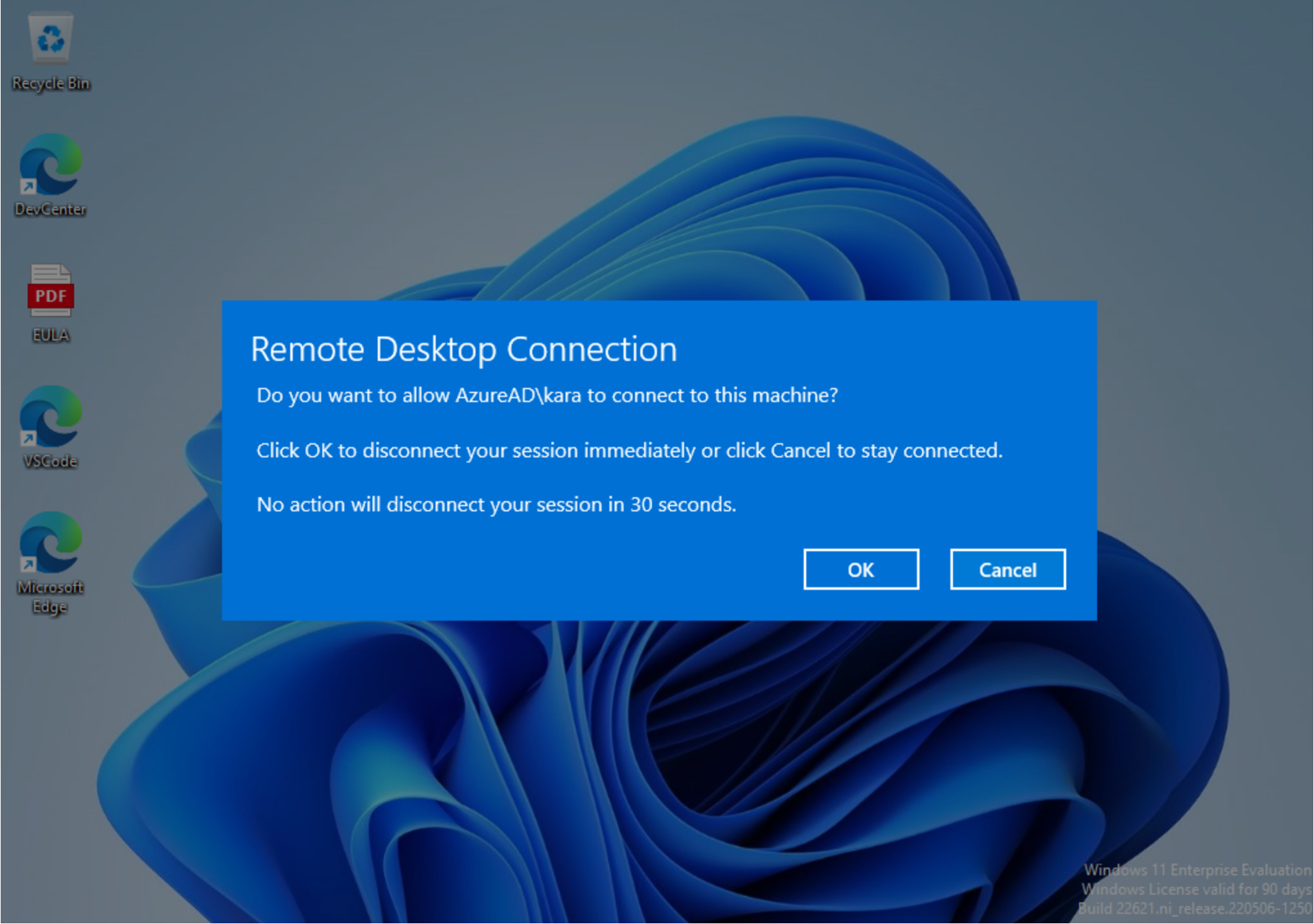
Remote Help Unattended Access
Microsoft has released Unattended access for Remote Help, but if you ask me, it’s with a twist. It’s not as “Unattended” as you might come to believe. The functionality released is more like a Cloud RDP functionality. When the IT Admin initiates an unattended access session, it will kick the other user off as shown in the screenshot above.
In other words: What is referred to in some circles as “Session Shadowing” is not supported, and last time we spoke to the product group, this will never be supported. Specifically, this means the following scenarios cannot be supported:
- Common Kiosk Scenarios where there is no primary user but an application is running in the current user context
- Information screens or similar
- Factory areas w. Autologon scenarios
The key thing here is probably the autologon scenarios. A lot of companies still rely on this functionality. And while I can understand from a security perspective why Microsoft has decided not to support this scenario, it’s still a bit disappointing to see that they at least don’t want to hand over that control to the IT Admins, i.e: Give us a toggle to enable “Complete unattended” or “Session Shadowing” but only on select devices, using a policy or similar.
Wrapping up
This was just a short blog post to inform you all about this. A lot of my customers have been waiting patiently for this feature to release, since it’s been on the roadmap for so long. But of course, now that the cat is out of the bag, if you still need Session Shadowing in your remote support product, I guess you need to hang on to your TeamViewer or whatever you are using today for now.
P.S: I’m going to give this old blog post about Intel vPro some love very soon. This feature is so overlooked. Unattended access in Intel vPro is already released, amongst lots of other features.
That’s all… have a nice day :)