

Add Microsoft EPM Agent version to your software inventory
If you’re managing Microsoft Endpoint Privilege Management (EPM) with Intune, the agent version is one of those values that is useful to report on and include in your software inventory.
Why this matters
When you are managing a modern endpoint estate, software inventory is about more than just knowing what is installed. It is also about knowing whether the right version is deployed, whether devices are healthy, and whether upcoming policy changes or feature updates may require action.
The Microsoft EPM agent is no exception. If you want to validate rollout progress, confirm the version on a device, or help support teams troubleshoot a policy issue, having the agent version in your inventory is incredibly useful.
Remediation to write EPM Versioning to installed apps
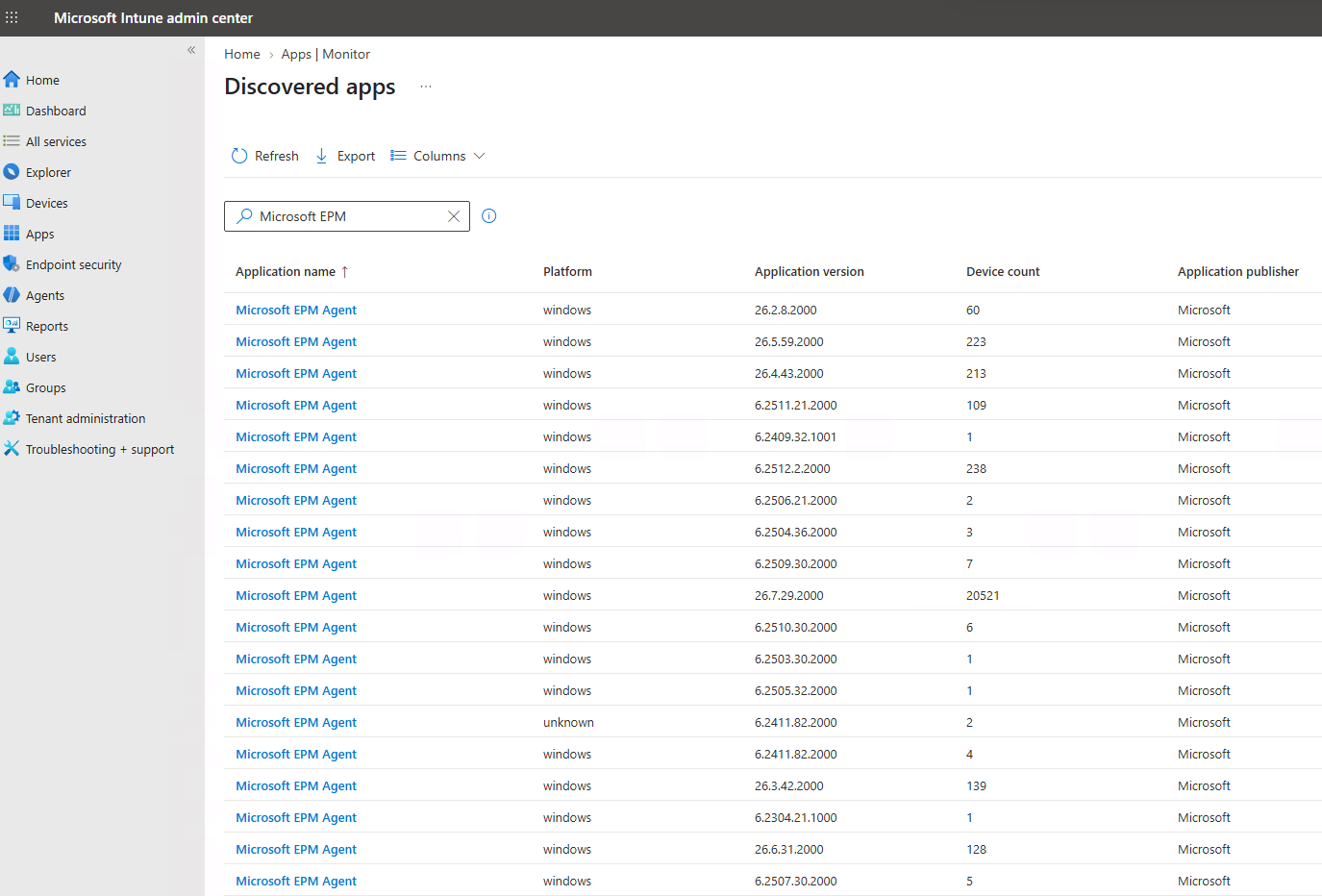
You can use Intune’s remediation system to continuously write the EPM version information to the installed apps on the device. When you do this, it makes sure the “Discovered apps” functionality in Intune can also inventory the agent version, whilst also adding support for your own 3rd party SAM systems such as Snow Inventory or similar.
You can find the remediation I wrote on my GitHub here
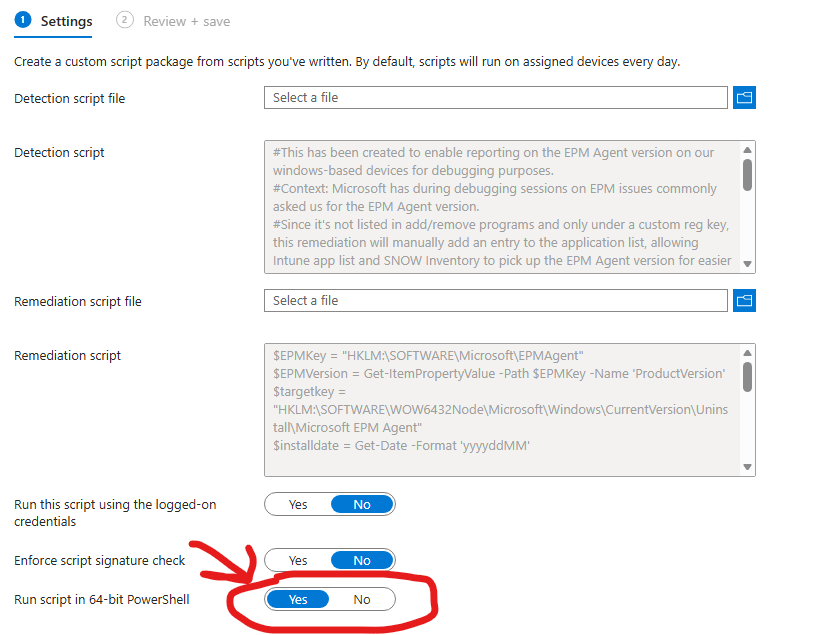
Assign to “All devices” and have it run daily. Make sure to tick “Run script in 64-bit PowerShell”.
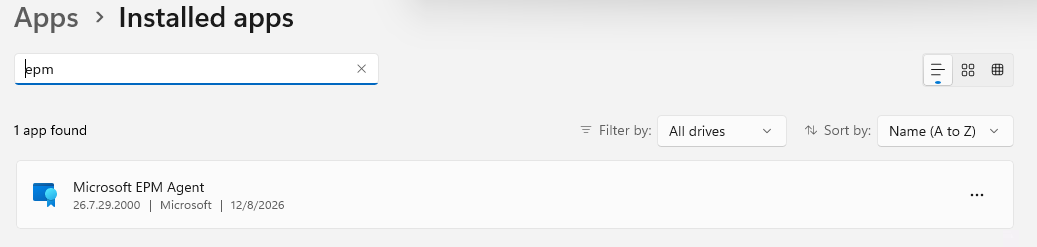
Once you have it running, this is what it’s going to look like in your installed apps on your endpoints:
In Intune you will see it under discovered apps:
Wrapping up
Back when we were rolling out EPM at one of my customers, an early adopter, the EPM team would keep asking us for the client version during debugging sessions, and we had to go chase it in the registry every time. Hence this script. It’s a small thing, but it did reveal quite a few devices stuck on an old version, which the EPM team then helped us get fixed. We did of course ask for the version to be written to “Installed apps” natively, but they had their reasons for not doing it at the time.
That’s all for now. Have a nice day :)