
EPM and MSI Shenanigans
I recently faced an issue at one of my customers where a smaller amount of users reported they had no free disk space, even though they barely had any apps installed or documents stored locally.
If you have been using Microsoft EPM for a while, then spoiler alert: You might also be (unknowingly) affected by this problem.

Locating the problem
I jumped on a users device, where the disk space had mysterially disappeared, and a first glance I couldn’t find out where the disk space had disapeared off to, so I had to fire up treesize to see what was going on.
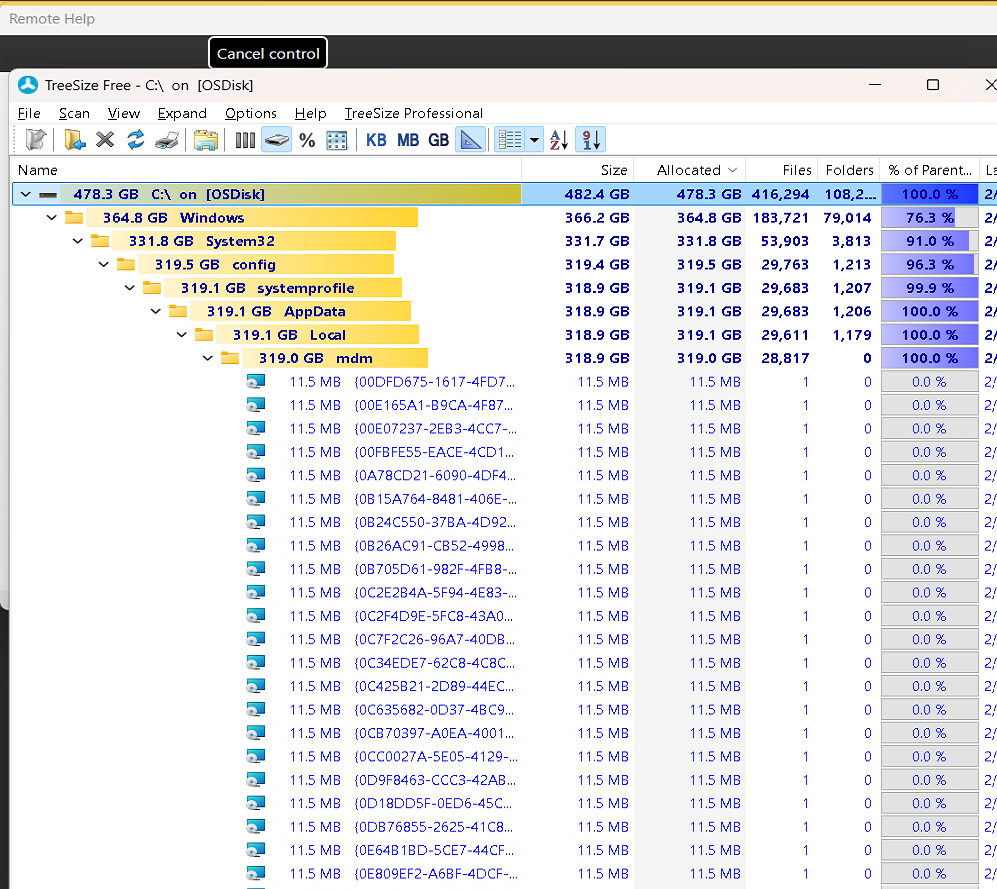
Looks like the following path was stuffed with MSI Files - More specifically 319GB of MSI Files: C:\Windows\System32\Config\systemprofile\AppData\Local\MDM
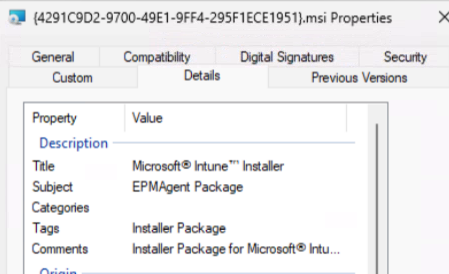
After examining a few of the MSI Files, it was clear that it’s an EPM MSI. Examining EPM logs on the device showed that it was stuck in an update loop. It kept failing with error 1603 (Fatal error.) It seems EPM, or more specifically, the CSP/Provider that EPM uses to update the EPM Agent, is not cleaning up after itself. There might also be an underlying issue causing the MSI to fail with 1603, but nevertheless, it should know how to clean up after itself when things go wrong, to avoid this scenario.
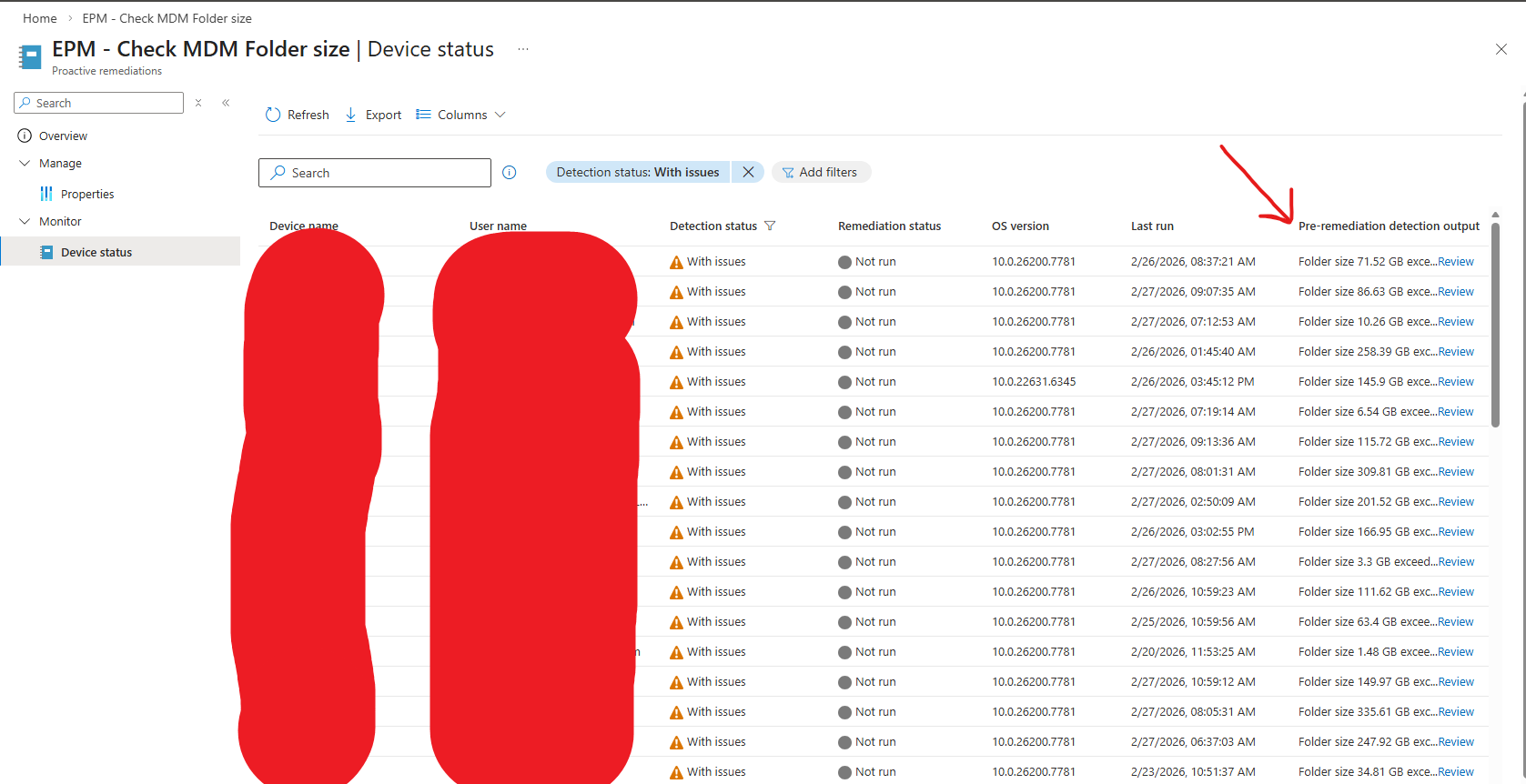
I also wanted to check if more users had this problem, so I wrote a remediation / detection script only, to check if that MDM Folder was above 1GB, and if it was, it would return with issue. I also made sure that it would print the total disk space of the folder to the Intune console, to see how bad it really was, and boy it found some really bad ones. In the worst cases there was over 300GB of EPM MSI Files stuck in that folder. Luckily, the issue had only seem to hit a small percentage of their devices so far. But these types of issues can easily snowball very fast, and will impact end-users productivity.
The fix
I’ve already engaged the EPM team at Microsoft, and they are looking into the problem. But while we are waiting for a permanent fix, I’ve written a remediation to clean up the folder. It’s a very simple detection script that simply checks the size of the folder, and if it’s above 1GB in size, it will proceed to remediation, where the remediation script cleans up all the files if the folder.
You can find the scripts here.
You actually also re-use this script and point it to any other folder i.e: temp folders etc. and have them clean it up if it gets above a certain size. In the detection script, adjust the folder variable and also decide how much the threshold (in GB) should be, before it proceeds to clean up the folder. Then in the remediation script, also make sure to adjust that folder accordingly.
The end
I’m sure this bug will be fixed in due time by Microsoft, and luckily it doesn’t seem like the issue is that widespread, otherwise I’m sure a lot more would have come forward by now.
That’s all for now folks. Have an awesome day! :)